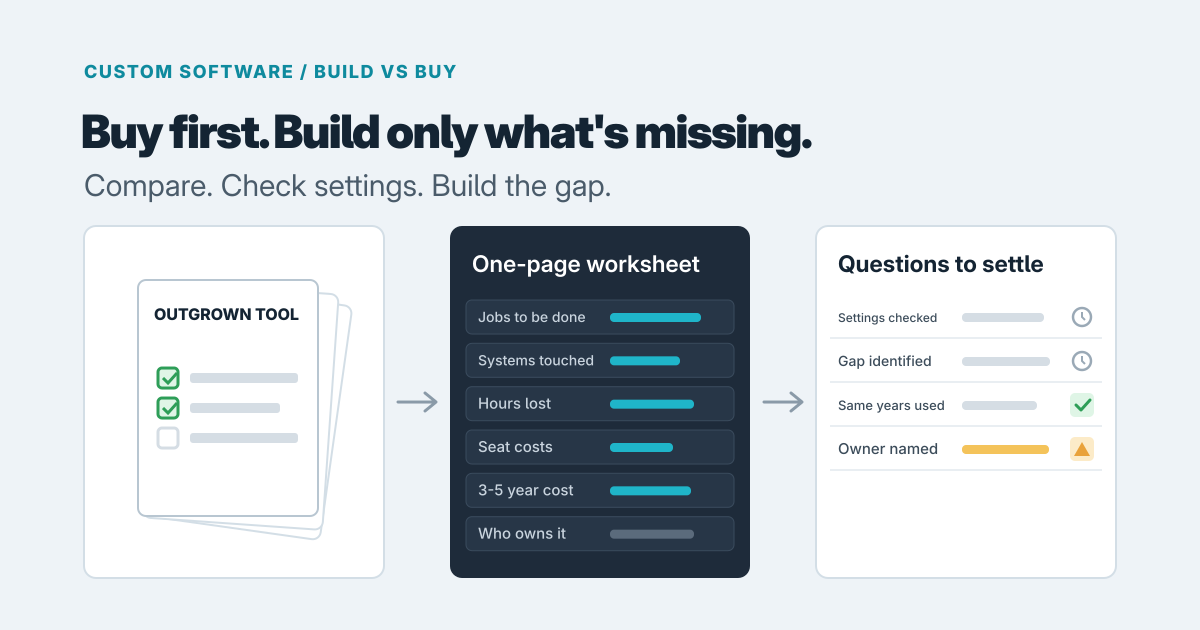
Buy first. For most businesses, a ready-made product is the right answer, and it should take real evidence to talk you out of it. Custom software earns its place in a narrower set of cases: the workflow is how you make money, your requirement is genuinely unusual, or several tools have to behave as one and none of them will. If none of those sounds like you, keep looking at products.
The broad rule is simple: buy for what every business does the same way, build for what sets you apart (Emerald Labs).
What a ready-made tool does well
Accounting, HR, scheduling and a standard CRM (the system that tracks your customers and sales) are problems thousands of companies share, and the products reflect that. You get it working quickly, someone else fixes the bugs, and you aren't responsible for keeping it alive. Buying also wins when your team has no one to look after software (Code & Trust).
A good fit looks boring. Your people can do their weekly work inside the tool without keeping a side spreadsheet, and the settings cover the odd cases you hit. Before you decide a product can't fit, check whether a setting, a template or a different plan would adjust it to your way of working. Plenty of owners conclude a tool is wrong when it only needed setting up differently. (When we say "configure" below, we mean exactly that: changing the product's own settings, templates and options, with no new software written.)
The real cost of bending a tool
The sticker price is rarely the whole story. Compare the cost over the whole life of the tool, not the first invoice. For software you buy, that includes subscriptions, setup, connecting it to your other systems and the cost of switching if you outgrow it (Control Standard). In practice, look for these:
- Workarounds. The manual steps your team invented to cover what the tool can't do. Nobody budgets for them, but they show up as hours every week.
- Duplicate entry. The same customer or job typed into two systems, with errors creeping in whenever the two disagree.
- Per-seat pricing. You pay for each person who uses the tool, so the bill can grow as your team does. Ask what the price looks like at the headcount you expect in a few years, and what the vendor says about price changes at renewal.
- Vendor limits. If a vendor retires your plan, you may be forced to move whether it suits you or not (Emerald Labs). Our piece on planning an exit from a software vendor covers how to test that risk.
A simple habit helps: count the hours lost to workarounds each week, put a price on them, and set that beside what the subscription will cost as you grow.
Signs custom software is justified
Three conditions come up again and again.
- The workflow is how you make money. If the way you estimate, schedule or deliver is your edge, forcing it into a generic template flattens the thing customers pay you for. One way firms put it is "buy to validate, build to differentiate" (MarsDevs).
- Your requirement is unusual. No product covers it, and every vendor you've asked says "we can probably work around that." When a bought tool needs expensive workarounds, building can win (Control Standard).
- Several tools must act as one. The work of joining them can cost more than a purpose-built system. If you're already stitching tools together by hand, our guide to stopping duplicate data entry between a CRM and accounting shows what the lighter fix looks like.
If you lean heavily on automation tools, it may be worth reading whether you've outgrown Zapier before assuming you need a full build.
The middle path: configure, then build the missing piece
Often the best answer is neither extreme. Buy a product for the common part, and build a thin layer for the part that's yours. That layer might be a small add-on, a link between two systems, or a simple custom screen (Control Standard). People sometimes quote an 80/20 split, but that's an illustration, not a measurement.
For example, say a service business keeps a standard accounting tool and a standard scheduling tool. They're fine as they are. What's missing is something that carries a booked job from one into the other and produces the company's own quote format. Building only that piece costs far less than a whole system, and the business keeps products that other people maintain.
This works best when the products you buy can be connected to other software at all. Some vendors publish clear instructions that let a developer link other systems to their product, and some don't offer that. Ask each vendor, in plain words, "Can another system send information to your product and read it back out?" Do it before you commit, not after.
What custom costs after the first build
The build is the first bill, not the last. After launch you pay for the computers that keep the software running and reachable on the internet (called hosting), for updates that keep it working as the tools and systems around it change, for support when something breaks, and for changes as your business moves. A widely repeated rule of thumb puts yearly maintenance at roughly 15 to 25% of the build cost, though one source states plainly that no universal percentage exists (Nextage). Treat it as a prompt to ask for a figure, not as a quote.
The bigger question is ownership. Custom software needs someone who looks after it (Code & Trust). That can be the studio that built it on a support arrangement, an in-house person, or a mix, but decide before you start. If nobody will own it, buy.
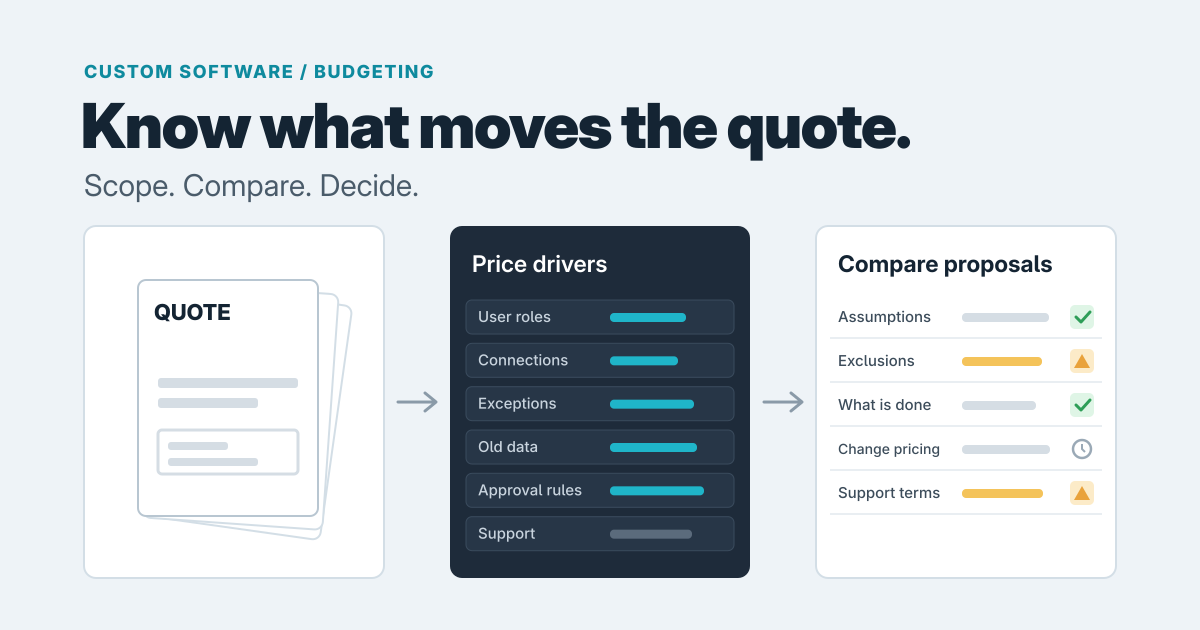
The first build price moves with a few things you can discuss openly: how many other systems it must connect to, how many kinds of users it needs (staff, managers, clients), how much existing data has to be moved over, and how much will keep changing after launch. The same things drive the timeline. Each extra connection, user type or batch of old data adds work to plan and test, and a scope that keeps changing stretches the schedule. A studio that quotes a price or a date without asking about these is guessing, so ask for both a cost range and a timeline range, with the assumptions behind them.
A one-page worksheet that beats a feature list
Feature lists favour whichever product has the most features. Instead, write a page about your needs:
- The jobs the business must get done, and who does each one.
- The systems each job touches.
- What goes wrong today, and the weekly hours that costs.
- What each option costs over the same 3 to 5 years, including subscriptions, price increases, support and changes.
- Who will own it afterwards.
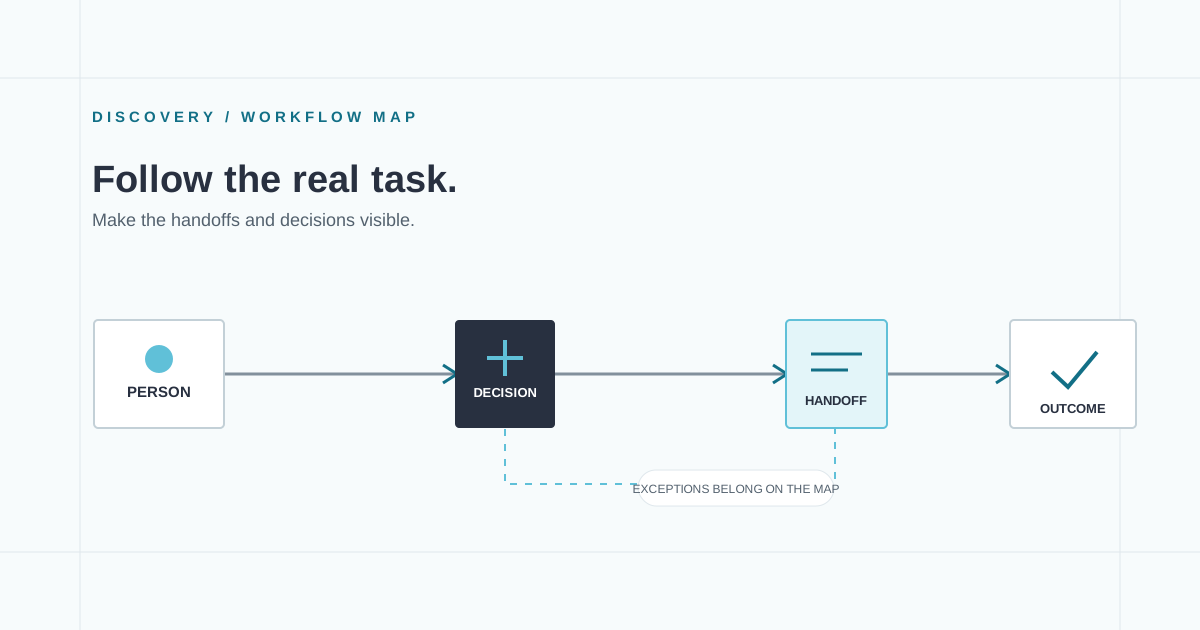
Use the same time span for both options, so the comparison is fair. We'd avoid break-even rules like "custom wins past 100 users," because they depend wholly on assumed prices. If you want help mapping the work itself first, read why to map the work before building custom software.
What to bring to a first conversation
You don't need a specification. You need:
- A plain description of the workflow, start to finish.
- The tools you use now and what each costs.
- The pain points, with rough hours lost if you know them.
- How many people are involved.
- A rough budget range and the date you'd like it working, understanding that the drivers above shape what a real quote and schedule look like.
- Who will own the software afterwards.
- What success looks like in 6 to 12 months.
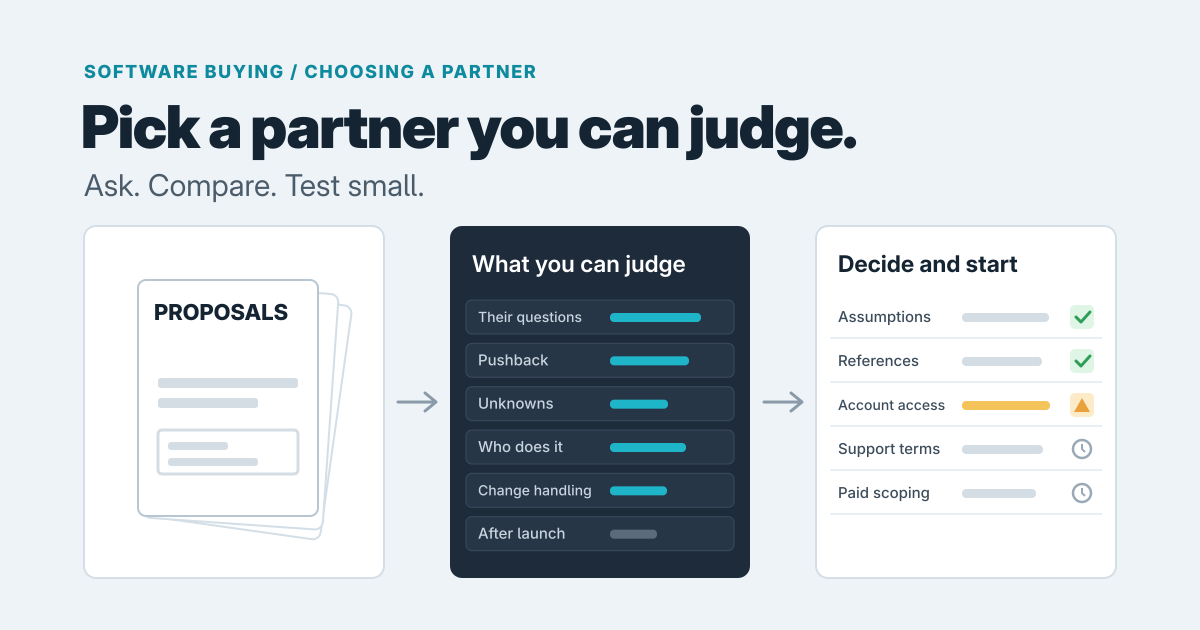
A good studio should tell you if a product or a small change of settings would do the job. If you aren't sure the question is even ready for quotes, paying for advice first can be cheaper than a wrong build.
When the answer does point to building, our custom software service starts from the actual job and the smallest dependable application that can do it. If you'd like to talk it through, including rough cost and timeline, get in touch.
Prepared with AI-assisted research and writing, with automated editorial checks before publication.