
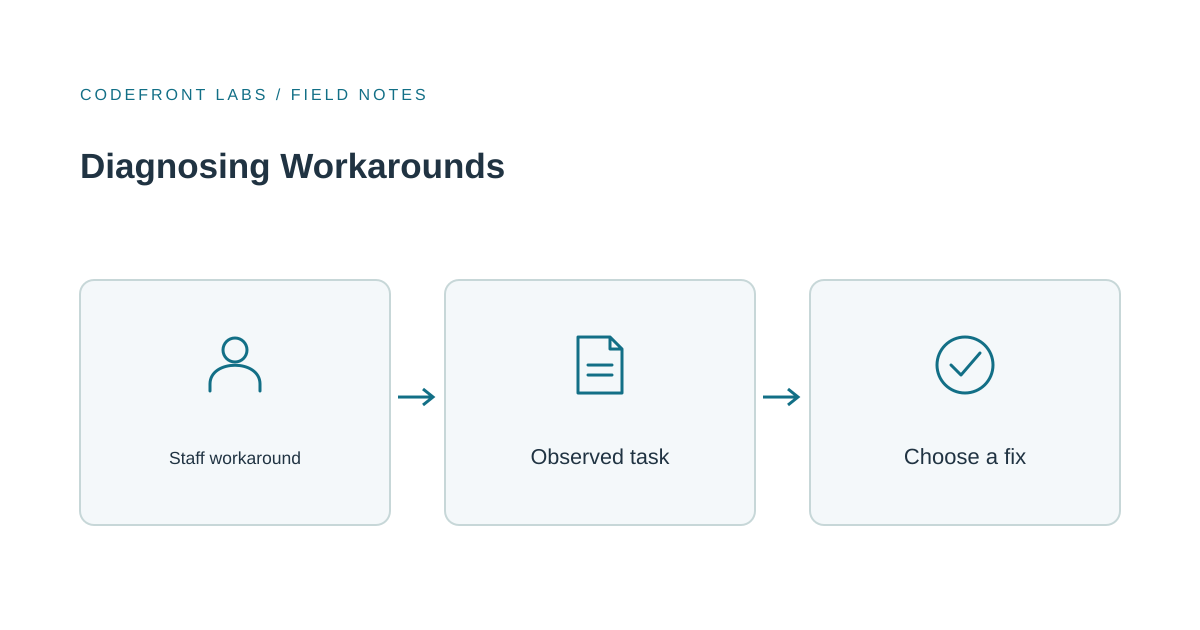
A side spreadsheet can tell you something the usage dashboard won't: where the tool and the work disagree. Before you retrain anyone or commission changes, find out where they disagree. That means watching someone do a real task, not sending a survey.
The workaround is the evidence
When people keep a private file next to the official system, or ping a colleague to ask whether a job is done when the app should say so, they're doing a quiet cost comparison. The spreadsheet is faster, clearer or safer in that moment, even if they know the app is the record. Mandating the tool doesn't resolve the extra work. The detour may move into chat messages and personal files, making it harder to understand what's going wrong.
That said, a side spreadsheet isn't harmless. If a record exists only in someone's private file, you have a control problem as well as an adoption problem. Treat the workaround as both: useful information and a possible gap.
Watch one whole task
Pick a recurring piece of work, like a request from intake to close, and sit with someone while they do it. If you record it, get their agreement. GOV.UK's service manual describes moderated usability testing as observing participants completing specific tasks, and notes that asking people to think aloud helps you understand both what they do and what they're thinking. That's the right spirit here: you want the reasoning behind the detour, not an opinion about the software.
Notice what triggers the step outside the tool, what information the person needed but couldn't see, and where they waited or re-typed something. Notice timing too. Updating a record during the task points to a different problem than updating it at the end of the day. And time both paths. People often swear the spreadsheet is quicker, and sometimes it is, but the stopwatch shows where the difference actually comes from.
Usage records can help you choose what to watch. A step that people often start and abandon is a good candidate. But logs can't tell you why someone left, or whether the work happened entirely elsewhere. Use them to pick the task, then use observation to explain it.
Example: the delivery coordinator's spreadsheet
Say an operations team moved supplier deliveries into a new app. Every afternoon, one coordinator copies the day's deliveries into a spreadsheet. The easy read is that the coordinator doesn't like the app. Watching the work tells a different story: suppliers keep calling about partial deliveries, the app only shows a delivery as received or not, and the coordinator needs the in-between view to answer them. The spreadsheet has a column the app doesn't.
Retraining her would accomplish nothing. The tool is missing something the work needs.
Five usual causes, five different fixes
Most workarounds trace back to one of a handful of causes, and each wants a different response.
If the tool lacks something the work needs, like that partial-delivery view, the answer is to build it or to decide the tool shouldn't cover that job. If the information is there but takes too many clicks or required fields to reach, a small interface change or sensible defaults will do more than a training session. If people don't trust the data and double-check it elsewhere, fix the feed it comes from or show how fresh it is. If nobody's sure who updates a status, so everyone asks around, you need a rule naming owners, not new software. And if a real variant like a split order or a rush job has no route through the tool, it needs a defined exception path or an honest scope decision.
Training makes sense when people don't know about a useful path that already exists. Check that explanation against the task itself before making it the default response.
Causes overlap, of course. A useful question is which one, if removed, would end most of the workaround.
Not every workaround deserves a feature
This is where I'd push back on the instinct to absorb everything. A tool that accommodates every exception slowly loses the simplicity that made it usable. A tool that does three things well often serves a team better than one that does eight things halfway. Narrowing scope is a legitimate outcome of this diagnosis.
And sometimes the spreadsheet should stay. If it's an accepted tool for one bounded task, give it an owner and a way to stay consistent with the app, and spend your money elsewhere. Custom work earns its place when the same gap shows up across many tasks, when the workaround creates a record that lives only in a private file, or when the daily cost of the detour clearly outweighs the cost of a change. Count how often it happens rather than going on impressions.
Before you change anything, jot down a baseline for the same task: how many workarounds you see in a week and what's causing each, and how long a request takes to finish. Change one thing at a time, then look again over a comparable stretch. If the total drops but one cause persists, you've treated a symptom.
A sensible next move
Observe three cases of one task, across different people and at least one exception, and write down the cause behind each detour. That gives you a starting point for deciding whether you're facing a training gap, a rule problem or a scope question.
If the findings point to a capability your current tool can't reasonably provide, our custom software service is where we'd help you decide which tasks a purpose-built application should own. If a spreadsheet has quietly become your system of record, our piece on replacing Excel with a custom web application covers how to approach that move. And if you'd like a second opinion on what you've observed, send us your workaround list and we'll talk through whether training, a small change or a scope decision fits.
Prepared with AI-assisted research and writing, with automated editorial checks before publication.